ToolForge
A desktop launcher for local Python tools that AI agents can drive over MCP.
 Eddie OffermannDesign and engineering
- Role
- Design and engineering
- Areas
- AI, Tools, Apps

We build a lot of small Python utilities, and that leaves a pile of projects, each with its own Conda environment, entry script and favorite arguments. ToolForge puts them behind one window that can be pinned to the Windows taskbar or the macOS Dock.

What it does
- Register a tool through a four-step wizard: project folder, Conda environment and entry script, name, tags and default arguments, then an icon.
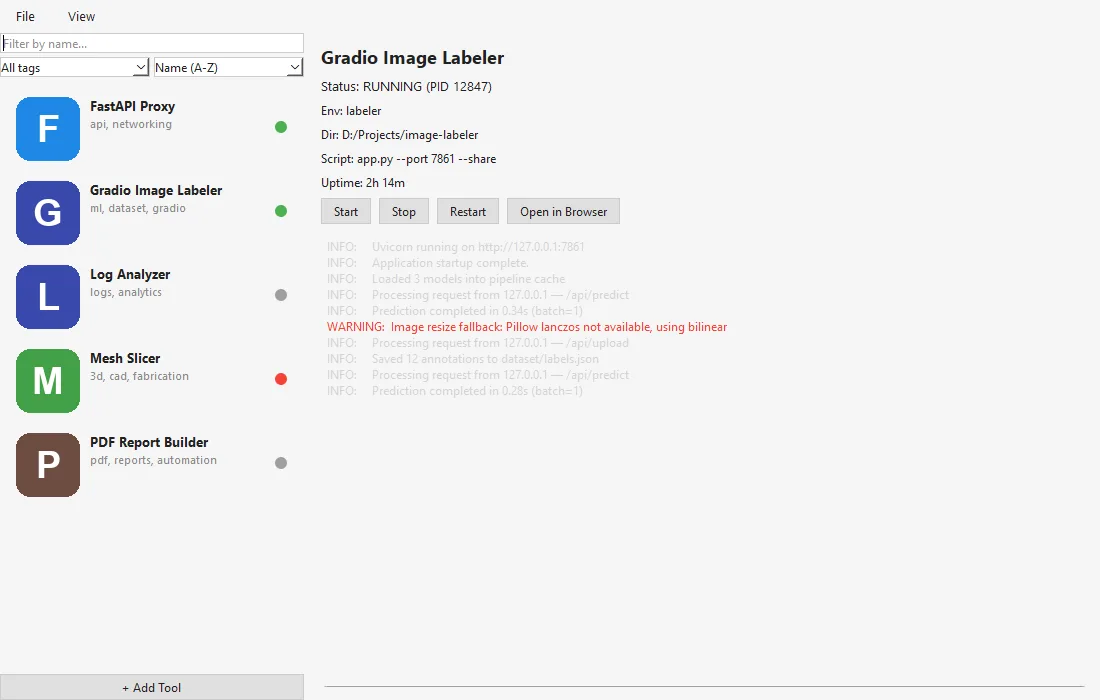
- Run it with start, stop and restart controls, a status dot per tool, uptime, and a live log that shows stdout and stderr in different colors. When a tool prints a URL, an Open in Browser button lights up.
- Icons are generated letters by default. An uploaded image can be post-processed, or an icon can be generated with Stable Diffusion on a local GPU.
Agents
ToolForge runs an MCP server over stdio and SSE. Agents can list tools, start and stop them, poll their output and read a structured schema of each tool's arguments, which ToolForge builds by parsing the tool's own --help output. An agent can register new tools but only a person can remove one, and each tool has its own setting for whether agents may start it.

The design docs were written per component before implementation, and the components were split so that several AI agents could build them in parallel.

Gallery
System, light and dark themes. 
A running tool with its live stdout and stderr. 
Status dots: running, starting, crashed or stopped. 
Registering a tool starts with its project folder. 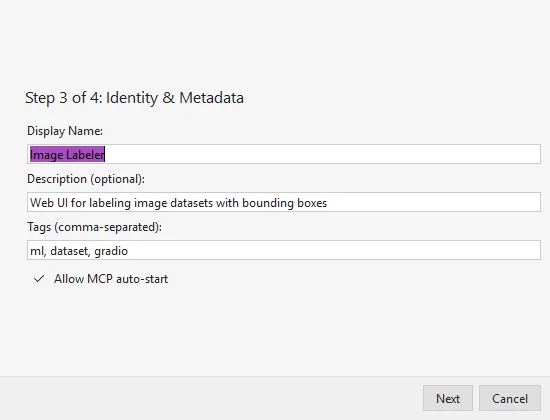
Each tool decides whether agents may start it. 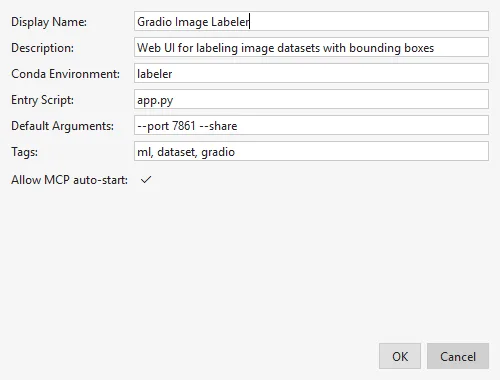
Editing a registered tool. 
The MCP server runs over stdio and SSE.
Links
Sources
Related work
-

BigBlueBam and the B-Suite
A work suite where AI agents work alongside people, with the same permissions.
-

QIE Studio
An image generation and editing studio, built by an AI agent working unattended from our specification.
-

Aesopic
AI-assisted long-form fiction, structured from series concept down to the page.
-

AI Storybook
News stories, autonomously retold for children.