AquariOS
One platform for AR and VR apps, running several at once, on whatever headset or phone you have.
 Eddie OffermannPlatform design
- Role
- Platform design
- Areas
- XR, Research, Tools
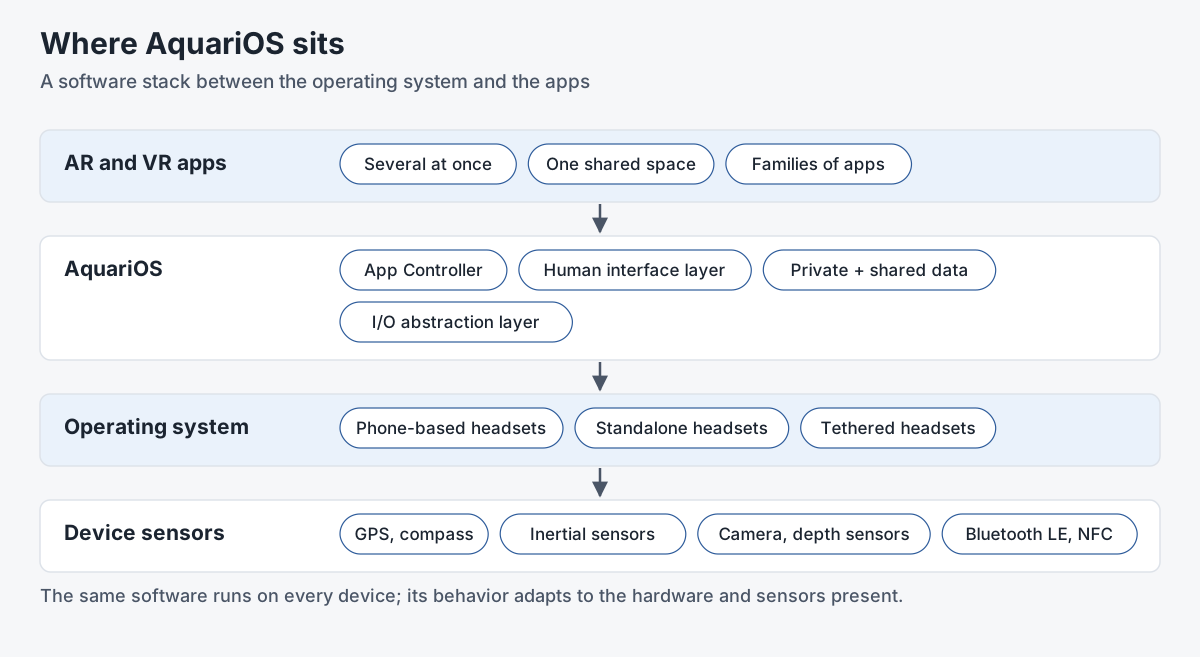
AquariOS, also called HoloFlect OS, was our design for a single platform to deliver AR and VR applications on phone-based, standalone and tethered headsets alike. It's a software stack that sits between the operating system and the apps. The same software runs everywhere, and its behavior adapts to whatever hardware and sensors the device has.
The problem
Every AR and VR experience ran on its own, one at a time, with a game-style interface of its own. We thought that was the biggest barrier to mainstream use. People multitask: they read an article and still get messages. Why can't you watch a 360 video and still answer email?
What the platform provided
- Several apps at once. An App Controller launches, messages, suspends and terminates apps, and lets each one place its interface elements in a single shared space.
- Device independence. An I/O abstraction layer offers spatial awareness, controller support, gestures and other triggers without the app knowing the hardware. Location can come from GPS, compass, inertial sensors, the camera, depth sensors, Bluetooth LE or NFC, combined into one flow. An app registers interest in a single "trigger" instead of handling taps, clicks, pinches and controller buttons separately.
- A standard interface. The Standardized Human Interface Layer gives XR apps what desktop operating systems have had for decades: standard dialogs, settings and input panels, developer tools, and the same zoom, move, close and quit controls on every element. Elements can outlive their app, so a note can stay where you left it.
- Security and sharing. Each app exchanges keys with the controller and signs every message. Data lives in encrypted persistent and runtime stores, a public share works like a clipboard, and a private share lets a family of apps, such as a social network's timeline, messenger and 360 video apps, share a login that no other app can read.
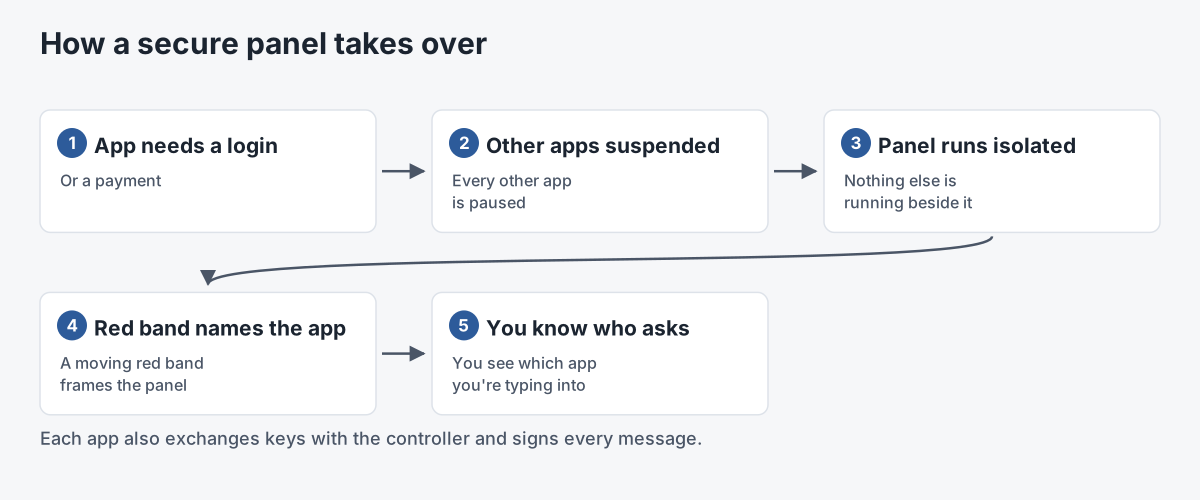
- Secure panels. When an app needs a login or payment, every other app is suspended and the panel runs in isolation, framed by a moving red band that names the app, so you know who you're typing into.

The platform also planned a common in-experience store, cloud or on-device storage for apps and media, and standard video streaming. As the name HoloFlect OS suggests, it was meant to run on our HoloFlect headset as well as on everyone else's devices. The same device-abstraction idea comes back in our xR ecosystem research.
Related work
-
xR Ecosystem
A modular, device-agnostic programming interface for mixed reality.
-
Cardforia and SecureVR
Unity building blocks for phone-based AR and VR.
-

Enhanced Presence
A run of prototypes chasing the feeling of being in the room with someone far away.
-
HoloFlect
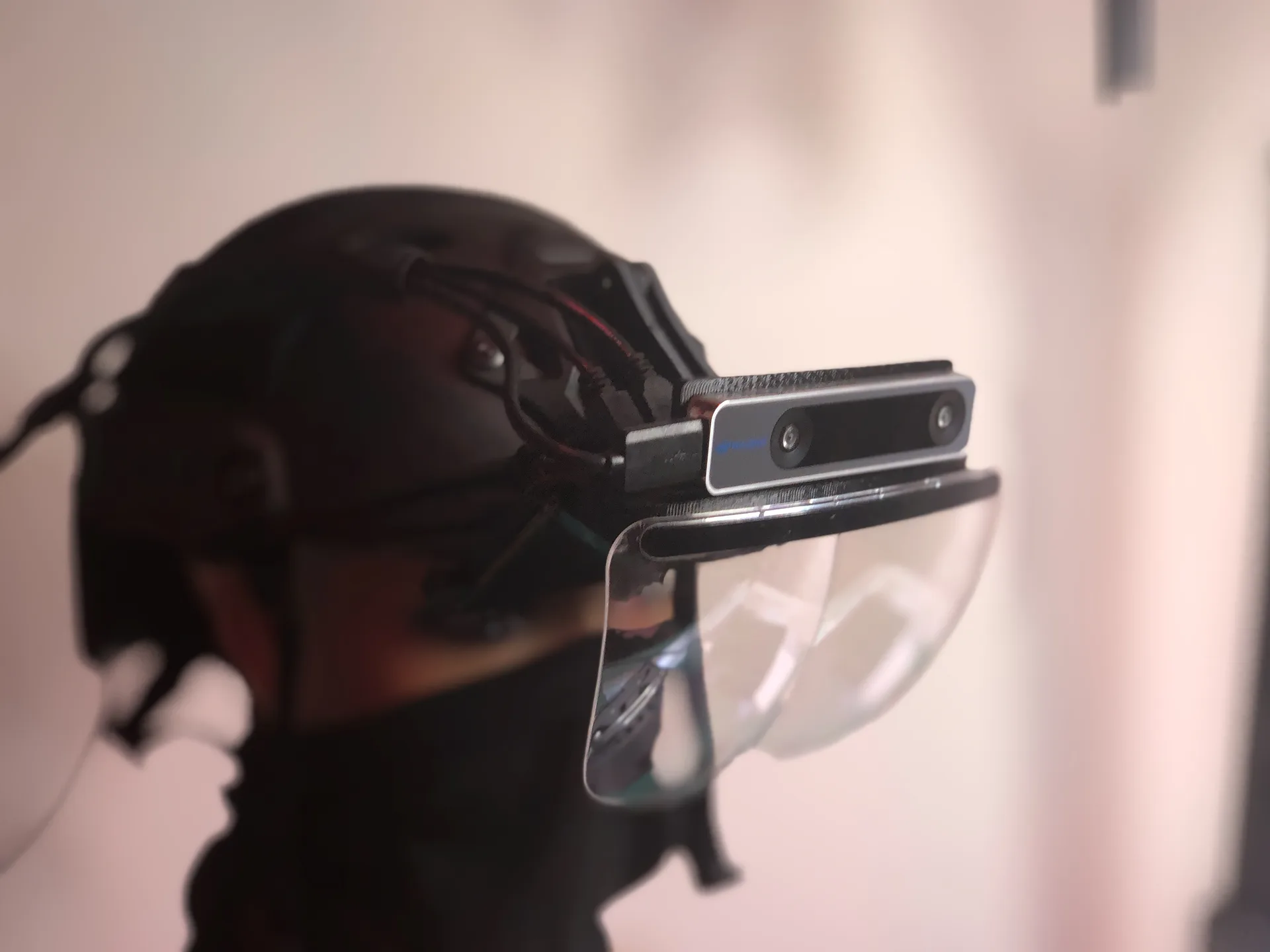
A modular, upgradeable AR headset platform built for enterprise.